Adobe Creative Suite CS3 Design Premium [Mac]  From exploring design concepts to finessing production details, you can leverage the tightly integrated tools in Creative Suite 3 Design Premium to make even your most visionary ideas real—in print, on the web, and on mobile devices. Deliver Innovative Ideas in Print, Web, and Mobile Design Adobe Creative Suite 3 Design Premium software is the designer's dream toolkit for print, web, and mobile publishing. It combines all-new versions of essential tools for producing everything from professional page layouts to rich interactive experiences in a unified, intuitive environment. Design with essential tools Let your ideas take flight with Adobe Creative Suite 3 Design Premium, which equips you to craft your best creative work more easily and efficiently than ever before. From thinking through concepts to finessing production details, you can leverage the intuitive tools in Creative Suite 3 Design Premium to make even your most visionary ideas real. Creative Suite 3 Design Premium lets you stay true to your creative intent without making compromises along the way. Keep your ideas flowing Adobe Creative Suite 3 Design Premium lets you slip into the creative zone and stay there by offering tight integration and shared features that enable you to move fluidly between tasks. Easily move assets between components to avoid awkward workarounds. Import Adobe Photoshop Extended and Illustrator artwork into Adobe Flash, for example, or paste Photoshop images into Adobe Dreamweaver. Visually manage assets in Adobe Bridge, coordinate with team members using Adobe Version Cue, and host real-time, web-based meetings with Adobe Acrobat Connect—all from within Creative Suite 3 Design Premium. Design for today...and tomorrow Prepare content for a wide range of media, from print pieces to interactive websites to mobile devices, using integrated tools to produce industry-standard output. Depend on reliable Adobe PDF workflows for print production, move from print design to web design by exporting XHTML from Adobe InDesign to Dreamweaver, and enable efficient developer workflows as you create cutting-edge interactive experiences. From pages to pixels, Design Premium lets you design for tomorrow as well as today. Photoshop CS3 Extended for specialized image editing Illustrator CS3 for vector graphics creation Adobe InDesign CS3 for page layout Flash CS3 Professional for interactive design Dreamweaver CS3 for web design and development Acrobat 8 Professional for Adobe PDF workflows Audience benefit Design professionals Express your ideas in virtually any medium, from paper to pixels, using intuitive tools that help you stay true to your creative intent. Adobe Creative Suite 3 Design Premium software is the designer's dream toolkit for print, web, and mobile publishing, combining all-new versions of essential tools for professional page layout, image editing, illustration, and Adobe PDF workflows with new tools for designing engaging websites, interactive experiences, and mobile content in a unified design environment. Design Premium also offers visual asset management, effective file management for collaborative creative teams, mobile content previewing, and access to services such as Adobe Stock Photos* for royalty-free imagery and Adobe Acrobat Connect* for web conferencing. With Creative Suite 3 Design Premium, you can create beautiful, engaging content, collaborate effectively, and equip yourself for new business opportunities with tools that let you design for tomorrow as well as today. Print professionals Adobe Creative Suite 3 Design Premium software offers print professionals industry-standard tools for design and production. Creative Suite 3 Design Premium combines full new versions of Adobe's leading design and production tools— Adobe InDesign CS3, Photoshop CS3 Extended, Illustrator CS3, Flash CS3 Professional, Dreamweaver CS3, and Acrobat 8 Professional—in a tightly integrated environment that offers productivity features for visual asset management, effective file management, mobile content previewing, and direct access to online services. Enjoy consistent print controls, shared color settings, and shared PDF export presets across Design Premium components, and generate reliable output using support for high-end Adobe PDF workflows, including PDF/X. Preflight |PDF files using Acrobat, which now offers automated file correction, and automate workflows using JDF. Even improve communication with customers using real-time, web-based meetings with Adobe Acrobat Connect.* Creative Suite 3 Design Premium gives you the most trusted tools for the job, helping you realize smooth production processes—and diversify your services. IT professionals Adobe Creative Suite 3 Design Premium software enables creative teams to realize their ideas more quickly and efficiently than ever before. Built on industry standards to provide long-term compatibility, Creative Suite 3 Design Premium can be deployed across networks, is extensible and scriptable, and can be tailored to meet a variety of specialized design and publishing needs. Design Premium combines full new versions of Adobe's essential design tools—Adobe InDesign CS3, Photoshop CS3 Extended, Illustrator CS3, Flash CS3 Professional, Dreamweaver CS3, and Acrobat 8 Professional—with Adobe Bridge CS3, Adobe Version Cue CS3, Adobe Device Central CS3, Adobe Stock Photos*, and Adobe Acrobat Connect* for improved collaboration and productivity in creative workgroups. Offering a single installer and serial number for easy installation and backed by the quality and reliability Adobe is known for, Creative Suite 3 Design Premium meets the needs of your creative team. Visually manage assets in Adobe Bridge Test mobile designs in Adobe Device Central Coordinate with team members using Adobe Version Cue Host real-time, web-based meetings with Adobe Acrobat Connect Top New Benefits of Adobe Creative Suite 3 Design Premium All-new versions of essential creative tools Experience the ultimate creative toolset with Adobe InDesign CS3 for page layout, Photoshop CS3 Extended for specialized image editing, Illustrator CS3 for vector graphics creation, Flash CS3 Professional for interactive design, Dreamweaver CS3 for web design and development, and Acrobat 8 Professional for Adobe PDF workflows. Unprecedented integration Use native files more easily than ever in different design workflows: Import Photoshop and Illustrator files into Flash, and copy Photoshop files into Dreamweaver. And enjoy a unified, integrated design experience with new self-adjusting panels and other shared interface elements. Powerful design workflows Bring your most visionary ideas to life in print, on the web, and on mobile devices. Automatically find and fix errors before printing high-quality pages using InDesign and Acrobat. Export InDesign layouts as XHTML to use in web designs in Dreamweaver. Easily create graphics in Flash using the Adobe-standard Pen tool. And test mobile designs in Adobe Device Central. Support for the latest Mac and Windows systems Get the most out of Creative Suite 3 Design Premium on Intel based Mac systems and Microsoft Windows Vista computers. Work smoothly on legacy PowerPC based Mac and Windows XP systems as well. New dimensions in digital imaging with Adobe Photoshop CS3 Extended Select image regions more intuitively, apply filters nondestructively, manipulate 3D images, and create accurate composites of images with similar content using Photoshop CS3 Extended. Inspired vector graphics creation in Adobe Illustrator CS3 Explore, apply, and control color variations using Live Color in Illustrator CS3. Select and align points and edit paths more easily than ever before, and easily incorporate vector graphics into print, web and interactive, and mobile designs. Efficient, powerful page design with Adobe InDesign CS3 Explore more creative possibilities and experience new levels of productivity using InDesign CS3, which offers powerful features for creating graphically rich, complex documents; professional typographic controls; and robust, reliable printing. Visual media management in Adobe Bridge CS3 Easily organize, browse, locate, and preview assets with Adobe Bridge CS3, which offers faster performance; customizable workspaces; nondestructive batch-editing of TIFF, JPEG, and camera raw files; playback of Flash files; and direct access to useful services such as Adobe Stock Photos.* Stronger designer-developer workflows Import layered Photoshop and Illustrator files into Flash, animate them, and export them automatically in the ActionScript 3.0 language to hand off to developers. Use new CSS layouts in Dreamweaver to jump-start standards-based web pages, and collaborate with developers to produce interactive web experiences using the Spry framework for Ajax. Integrated support for mobile design Produce compelling mobile graphics in Illustrator and Photoshop Extended, add interactivity in Flash, and code pages for mobile display in Dreamweaver. Then preview and test your designs using mobile device profiles in Adobe Device Central CS3. Additional Features Industry-leading image editing and illustration Experience unrivaled image editing and compositing, and even perform advanced image analysis, using Photoshop CS3 Extended. Produce inspired vector graphics with Illustrator CS3, which lets you interactively explore, apply, and control color. And work seamlessly between the two components with native file format support. Designer-developer workflows Import layered Photoshop and Illustrator files into Flash, animate them, and export them automatically in the ActionScript 3.0 language to hand off to developers. Use new CSS layouts in Dreamweaver to jump-start standards-based web pages, and collaborate with developers to produce interactive web experiences using the Spry framework for Ajax. Adobe PDF print workflows Use widely available Adobe PDF to create reliable and consistent final output, streamline print production—including automatically fixing mistakes before they get to press—and automate workflows using JDF. Support for PDF/X standard Create reliable, press-ready layouts using ISO- and ANSI-standard PDF/X, including PDF/X-1a, PDF/X-3, PDF/X-4 (draft), and PDF/A. Powerful JDF workflows Automatically convert InDesign files to Adobe PDF and preflight and validate them against the targeted output intent (including number of pages, page size, and more) using enhanced JDF workflows. Shared PDF presets Use built-in Adobe PDF export presets—or create custom presets—in Photoshop, Illustrator, and InDesign to generate consistent Adobe PDF files for electronic review or final output. Streamlined print production Preflight Adobe PDF files in Acrobat 8 Professional and fix problems before they get to press. Automatically correct hairlines, downsample image resolution, flatten transparency, and more. Automation through scripting Speed routine tasks and automate processes within and across components of the software by writing scripts in JavaScript, AppleScript, Microsoft Visual Basic, and the ExtendScript toolkit. Efficient and easy-to-manage deployment Easily deploy Design Premium using a single installer and serial number, and track, manage, and accurately allocate Adobe software assets using Adobe License Manager. * Online services, including, but not limited to, Adobe Stock Photos and Acrobat Connect, may not be available in all countries, languages, and currencies. Availability of services is subject to change. Use of online services is governed by terms and conditions of a separate agreement and may be subject to additional fees. For details, visit www.adobe.com. Adobe Creative Suite 3: What's in Each Edition? ADOBE CREATIVE SUITE 3 EDITIONS DESIGN PREMIUMDESIGN STANDARDWEB PREMIUMWEB STANDARDPRODUCTION PREMIUMMASTER COLLECTION Adobe Photoshop CS3 extended Adobe Photoshop CS3 Adobe illustrator CS3 Adobe indesign CS3 Adobe Acrobat 8 Professional Adobe Flash CS3 Professional Adobe dreamweaver CS3 Adobe Contribute CS3 Adobe Fireworks CS3 Adobe After effects CS3 Professional Adobe Premiere Pro CS3 Adobe Soundbooth CS3 Adobe encore CS3 Adobe onlocation* Adobe ultra CS3* ADDITIONAL FEATURES AND SERVICES IN ADOBE CREATIVE SUITE 3 Adobe bridge CS3 Adobe version Cue CS3 Adobe device Central CS3 Adobe dynamic link Adobe Stock Photos Adobe Acrobat Connect * Adobe Ultra runs on Microsoft Windows only. For Macintosh users, Adobe OnLocation requires Bootcamp and Windows (purchased separately), or a separate Windows-based computer. Apple iLife '08 Family Pack [OLD VERSION]  Apple iWork '09 Family Pack  Mac OS X 10.4 Tiger [Old Version]  OS-Level Search: Spotlight Handled by Tiger's search technology, Spotlight, users may search across documents, images, movies, music, PDFs, email, calendar events, and system preferences with one keyword. Spotlight reviews text content, filenames, and keywords (metadata) applied by users and automatically stored by files to return search results. Results are fast and smart, providing previews of returned files and the ability to filter them by kind, date, people, and location. Spotlight Search Return More Robust Conferencing: iChat AV iChat AV updates the Panther version with various new features. Enjoy three-dimensional, multi-participant video meetings with better resolution and compression. Conduct audio conferences with up to 10 members utilizing a graphical panel with sound meters for each speaker that indicate who is speaking. Purchase and run your own Tiger server and conduct instant messaging behind your firewall. iChat Audio Conferencing iChat Video Conferencing Parental Controls Set computer profiles for children using the aptly named Parental Controls and limit their access to system controls, documents, printers, burners, applications, email, chat, and the Web. With multiple profiles, parents can set varying levels of access for each child. Even downloaded or emailed applications are subject to parental approval first. Drop and Drag Tool Panels: Dashboard Pull in mini applications from a menu, named the Dashboard, to complete frequent tasks, like tracking flights and stocks or looking up words in the dictionary. Add and rearrange these panels, called "widgets," on your desktop as you choose, and hide or show them with the click of a button. Some other widgets include a calendar, calculator, weather report, yellow pages, language translator and unit converter. Desktop with Dashboard Widgets Language Translator Widget Stock Tracking Widget Automated Repetitive Tasks: Automator Choose pre-programmed "actions" from a library and automate tedious tasks when they have to be done in bulk, like editing images for slideshows and creating birthdays in the address book. There are hundreds in the can and sure to be more as third-party vendors create and make them available. Automation of Image Editing Task with Automator Real-time Browser: Safari Quickly view news headlines and article summaries from around the world with Tiger's browser, Safari . Take advantage of RSS protocols to get the latest news updates automatically. Improved Mail Tiger's email program, Mail, uses Spotlight to manage your mail. Find messages easily and let Mail automatically organize your messages as they come into the box. New photo resizing, archiving, and slideshow options enhance your ability to share and enjoy pictures via email. Centralized Computer Sync: .Mac Sync Use .Mac to sync all your Mac computers, wherever they are. .Mac Sync allows you to conveniently sync your Safari bookmarks, iCal appointments, Address Book contacts, passwords, and Mail settings for multiple Mac computers over the Internet. Automation of Image Editing Task with Automator VoiceOver Apple's spoken interface technology, VoiceOver, gives people with visual and learning disabilities equal access to Mac. Enhanced QuickTime 7 Featuring the new standards-based H.264 video codec, QuickTime 7 brings you incredible video quality with lower data rates and smoother playback. Mac OS X Snow Leopard Family Pack  Apple iLife '05  Apple iLife '06 (Mac DVD) [OLD VERSION]  Apple Mac OS X Version 10.5.4 Leopard [5-User Family Pack] 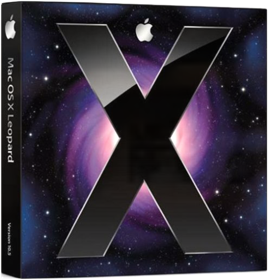 iLife '09 Family Pack  Colorvision Spyder2 Suite Advanced Calibration  Microsoft Office 2004 Professional (Mac) [Old Version]  |


td741.ca - whc
Collection Total:
2,064 Items
2,064 Items
Last Updated:
Jan 16, 2023
Jan 16, 2023
 Made with Delicious Library